Your logo. Our QR.
Logo as big as you want, left or right. QR always prints and opens grumpy-vet.com/product — the buyer who liked your sticker can find the tools.
Xpress Labels
Stop writing names on tape. Xpress watches the live tab and prints the 2×1 — buyer, item, price, your logo, a QR that sends their buyer to GVX — while you keep talking.
Label studio
Shop card, item on top, buyer on top, or fill the sticker — then nudge anything. Gold squares stretch the box so long titles wrap. Price on the right grows left.
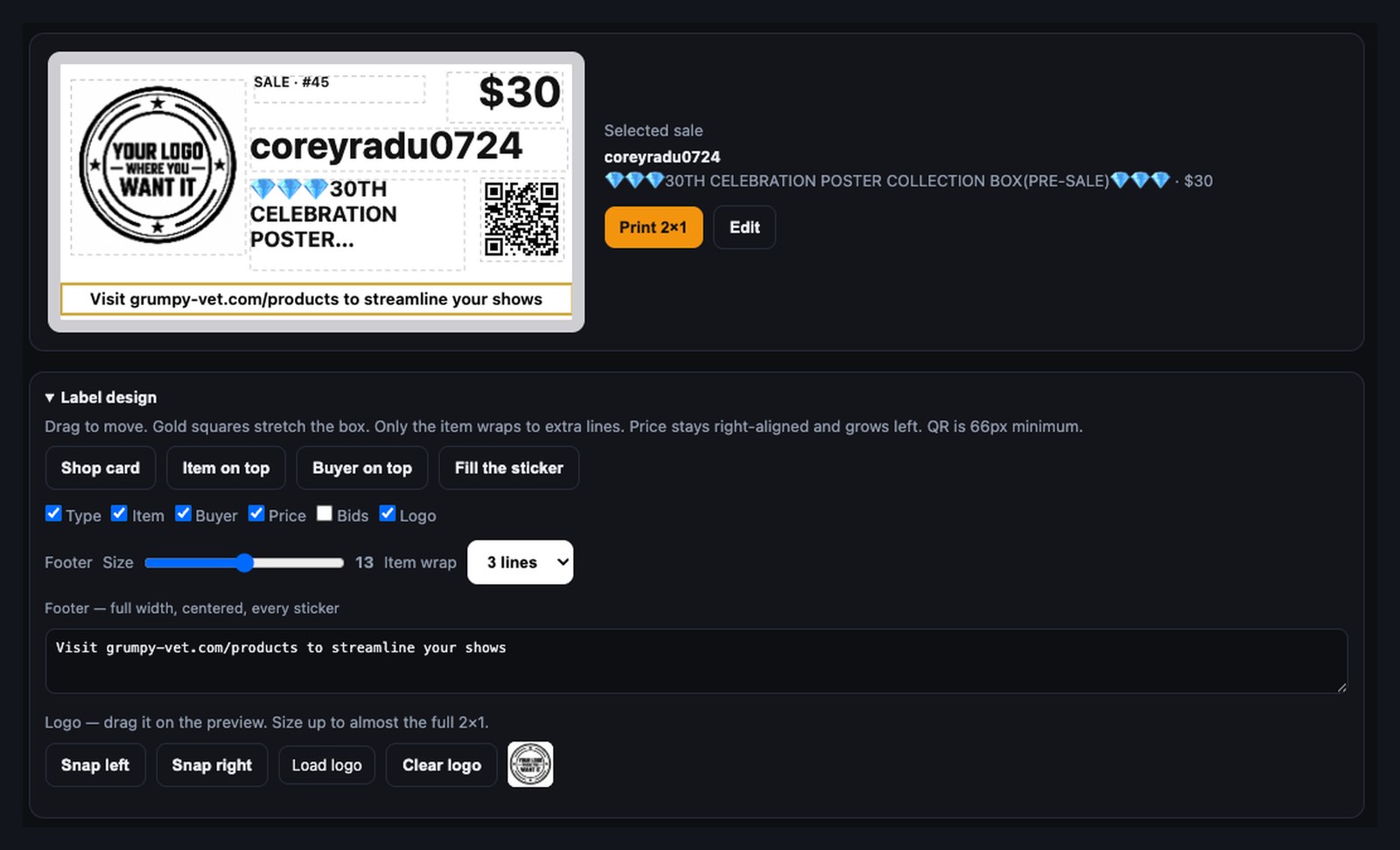
What you see is the 2×1. Load your logo, rewrite the footer, pick item wrap. The desk sits next to Whatnot — manual or auto.
Out of the printer
Logo left or right, buyer on top or under the item, price where you drop it. QR and footer on every sticker.
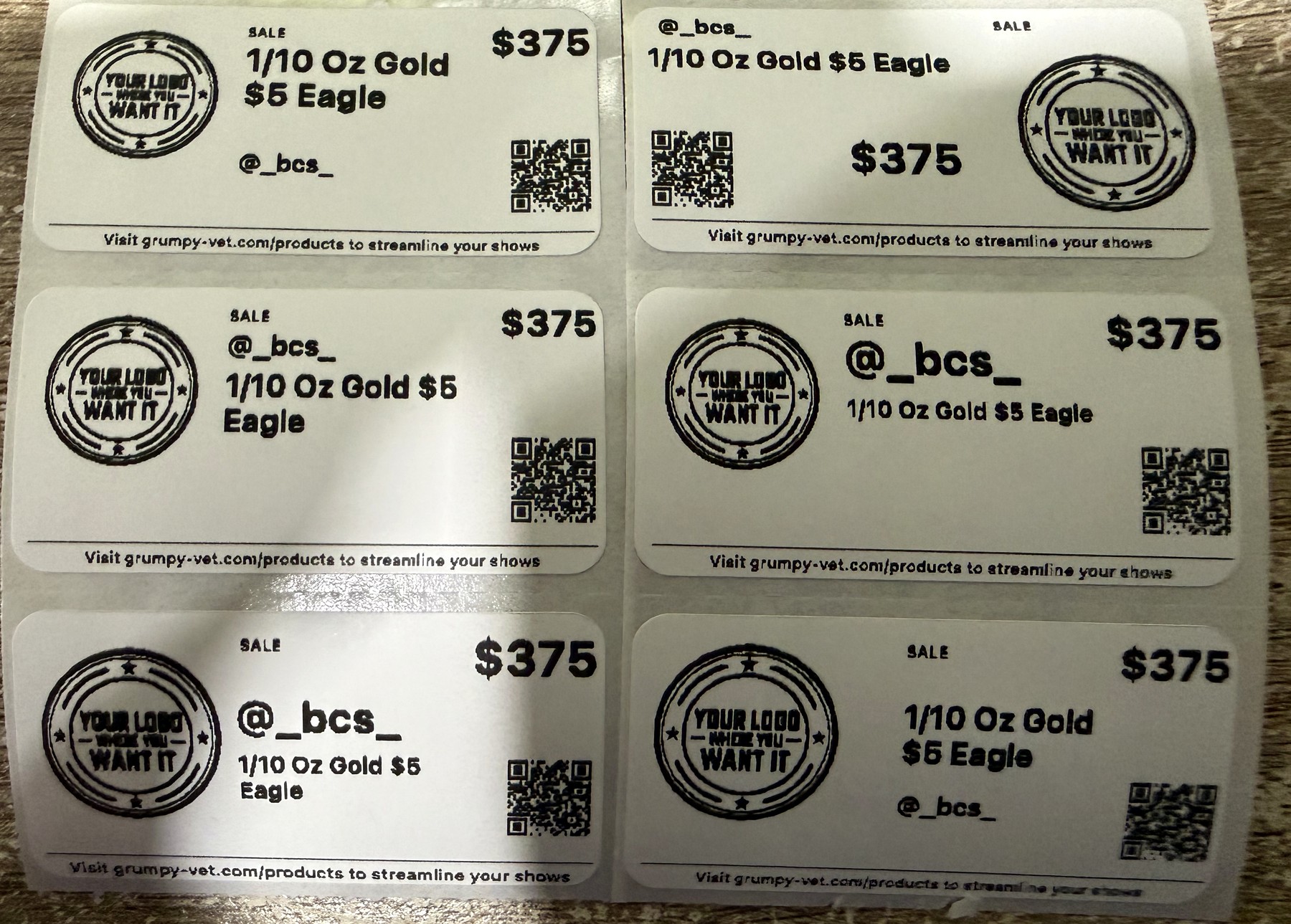
iDPRT and Polano TSPL. Drawn in printer dots so a small QR still scans. Footer stays on the label.
Logo as big as you want, left or right. QR always prints and opens grumpy-vet.com/product — the buyer who liked your sticker can find the tools.
Full-width, centered. Default: visit the products page. Change it to your shop, @handle, or a thank-you.
Wheel spin #40 is the envelope. The nickel is the hit. Xpress waits, then prints one sticker — not two.
Won a givy? Item is Giveaway, price is $0. Filter auto-print to giveaways, keywords, or both.
01
QZ Tray stays in the menu bar. Add Seller Desk from the Chrome Web Store. Copy the 24-hour key from Xpress.
02
Find printers, pick yours, Remember + Allow. One sticker. If it is inverted, flip rotation and test again.
03
Same Chrome profile as Whatnot. Item in hand or Surprise set. Auto when you trust it — Print when the room is weird.
Add Seller Desk Get started FAQ Vs Hot-Label
Need the wheel too? Surprise Set Tracker · Suite + Xpress